Introducing FrameRain

I have been working on different projects since the beginning of the year. Today, I want to introduce FrameRain: a way to manage favourite videos from Youtube. The idea came out, after thinking that it would be great to have a place to store videos you prefer without the need of an account. Today, I’m happy to « open source » this project, as decided at the beginning. It is licensed under MIT.

I’ve built FrameRain using Node.js and Express for the server. Data persistence uses MongoDB. These are the only requirements to run FrameRain. Configuration can be found in the file config.json, but there are only a few things in it for now. FrameRain stores the miniature of each video, so that it does not rely on Youtube to display it.

It is possible to add some video to a playlist to watch them one after another. FrameRain uses youtube embedded player to prevent the need to go on youtube.com. Unfortunately, it doesn’t prevent youtube from tracking you. Moreover, I’m not satisfied with the way I implemented the player. It is working, but it will be hard to add another platform like vimeo or dailymotion using this implementation.

I should also consider password encryption. Among other things, an initial idea was to be able to manage playlist of videos, like for example, a music playlist, trailer playlist, funny playlist, … I’m planning to add it later.

This was a really fun project. I learned a lot about how to use Mongo and Mongoose. I will now work back on my other project which aimed at playing flac files in the browser. So, if you have any comments about FrameRain, don’t hesitate to contact me.
Casper-Shadow-Front – A dark theme for Ghost

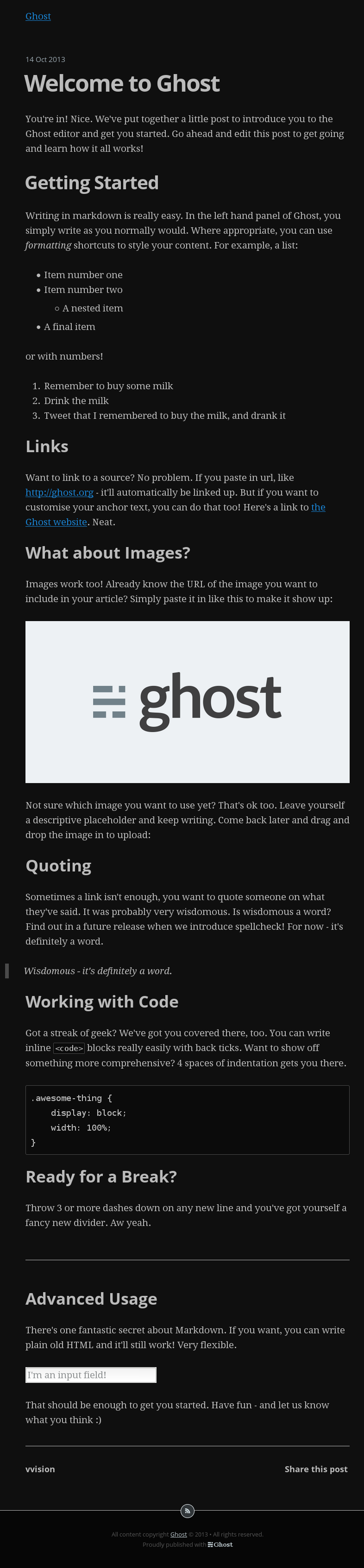
I was testing Ghost last week. I found it really interesting, but I’m not a big fan of white interfaces… too bright for me. That’s why I decided to fork the original theme named Casper to create a darker theme.

I’m happy to introduce Casper-Shadow-Front: a Dark Theme for Ghost Blogging Platform. You can find it on my Github account.

Ghost-Casper-Shadow-Front

I’m also considering extending this dark look to the control panel. Stay tuned!

ArduiTemp: Temperature, Arduino, LOLShield

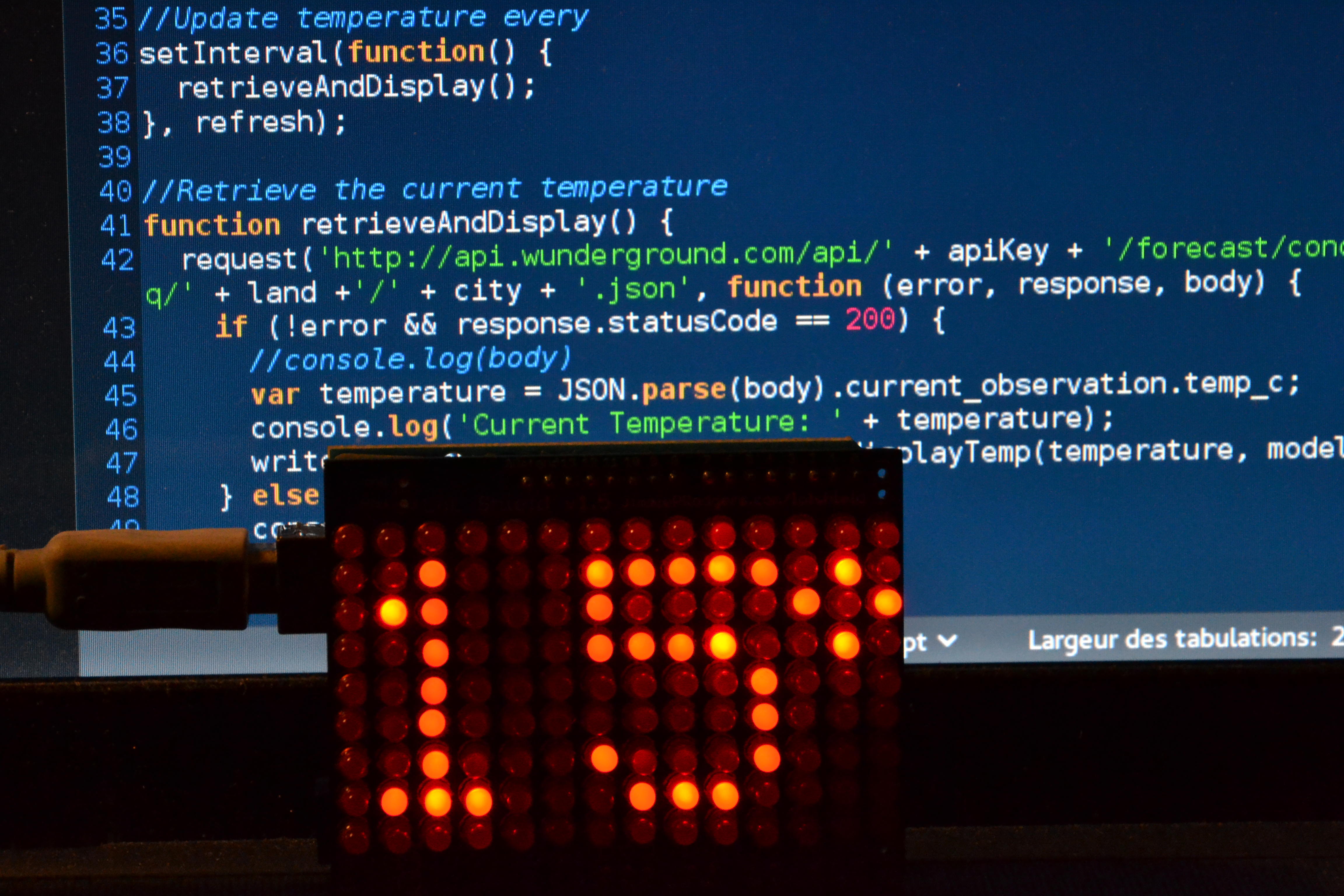
ArduiTempYesterday, an idea just jumped in my mind. I was thinking about using my arduino and my LOLShield to display the local temperature. I tried to figure out how to achieve this the whole day. So I imagined a simple program. First, it will need to find the weather of a given city by requesting an url. Then, parse the information to extract temperature and finally, generate the code to turn on the right leds. The hackaton could begin.

I started digging the problem of compiling my code without any IDE, I found some Makefile but didn’t manage to make them work correctly. There was always something wrong. Finally, I discovered Ino, installed it et tested it with a sample code for the LOLShield. It compiled, uploaded the code: it worked well. I then search for a correct weather API with up to date data. I tested some and found wundergroud API, which corresponded to my need.

I then wrote the program I imagined during the day. I hadn’t encounter any specific problem during this step. I used NodeJs and request to perform retrieve data from the API and generate the code to compile for the arduino.

You can find this quick project on my github account under the name ArduiTemp. It was rewarding managing to produce a working solution in a small amount of time. Even though, I did not manage to use a simple Makefile, it would be interesting to write a correct Makefile from scratch. I think Ino source code could be helpful to achieve this.

Map projection: Convert Lambert II into Longitude/Latitude

Last week, I faced an interesting problem. I was given a file containing the geographical position of various antennas around Disneyland Paris. The idea was to display them on a map: Open Street Map or Google Maps or whatever. Fine. In order to place the antenna on the map, I must use their coordinates in terms of latitude and longitude. But all coordinates are expressed in Lambert II. So I had to convert Lambert II into Longitude/Latitude.

I searched for formula, read articles and finally found the library Proj4Js which aim is to transform point coordinates from one coordinate system to another. I searched a little more and found node-proj4js a NodeJs port of Proj4Js. What’s next?

I found out that Lambert II conversion is not available by default. You had to add its specification in the Proj4Js format, which is pretty easy when you discover how to do it. First, you need to know the EPSG reference number of the coordinate system. Lambert II EPSG number is 27572. With this number, go to the website http://spatialreference.org/ref/ and search for your coordinate system using its reference number or its name. For example, the link for Lambert II is http://spatialreference.org/ref/epsg/27572/.

Once you find it, there is a link for the specification in the Proj4Js format: http://spatialreference.org/ref/epsg/27572/proj4js/. Now, just copy and paste the code in proj4js/lib/defs under the name EPSG27572 for Lambert II. I’m now able to convert Lambert II to Longitude/Latitude system. Let’s see how to do it!

I’m adding Proj4Js and initializing source and destination coordinate system:

var Proj4js = require("proj4js");
var source = new Proj4js.Proj('EPSG:27572'); //Lambert II
var destination = new Proj4js.Proj('EPSG:4326'); //Longitude/Latitude

Next, we need to create the source point to be used by Proj4Js:

var xLambertII = 589987;
var yLambertII = 2424591;
var point = new Proj4js.Point([xLambertII, yLambertII]);

Finally, convert from Lambert II to Longitude/Latitude et print new coordinates:

var latLon = Proj4js.transform(source, destination, point);
console.log('X: ' + latLon.x + ' Y: ' + latLon.y);

Let’s finish this article with a picture about map projections from the well-known xkcd website.

ElasticSearch and the Mystery of Auto-completion

Few months ago, I was looking for information concerning auto-completion with ElasticSearch as a source. I found many solutions, but none of them really fit my needs. Nevertheless, it helped me building my request.

What’s the situation Doc?

I needed to be able to extract values from an indexed field in ElasticSearch according to a group of letters (user input). In fact, my indexed document contains a field named map which is an array of string. The idea is the following: if the user is looking for the value « name » for instance, let’s say he will first type « na ». So here we must be able to suggest searches to the user. Furthermore, with this 2 letters, we must proposed existing fields like « name », « native » or « nature ».

I’m using Elastical to interact with ElasticSearch.
First, I’m building a regex which will be used later in the request.

var search = req.body.searched.toLowerCase(),
firstLetter = search.charAt(0),
rest = req.body.searched.slice(1),
reg = "^["+firstLetter+firstLetter.toUpperCase()+"]"+rest+".*";

The regex is build to match with both an upper case char or a lower case one in first position.

What about the request?

var request = {
  query: {
    query_string: {
      default_field: "map",
      default_operator: "AND",
      query: req.body.searched+"*"
    }
  },
  facets:{
    map:{
      terms:{
        field: "map.exact",
        regex: reg,
        size: 10
      }
    }
  }
}

First, I’m asking ElasticSearch to retrieve all documents which match req.body.searched+ »* » where req.body.searched contains the user input. I’ve change the default operator to « AND » rather than « OR » in order to be able to deal with fields like « Nom de la gare » or « Name of the dog ». By default, ElasticSearch uses the « OR » operator, so it will ask for « name » OR « of » OR « the » OR « dog »; which is not what I wanted.

Then, I’m using facets to retrieve values in the field map of found documents matching the given regex. I’m using map.exact for the same reason I must use the « AND » operator.

This request works great with on the tests I’ve made. Remains to be seen if it can handle big indexes.

I can now ask ElasticSearch with Elastical and build a clean response:

elastical.search(request, function (err, results, full) {
  var terms = [];
  async.forEach(full.facets.map.terms, function(data, callback) {
    terms.push(data.term);
    callback();
  }, function(err) {
    res.send(terms);
  });
});